SMARTHOST
SMARTHOST

Welcome to Royal Oak Court


Getting here

Address

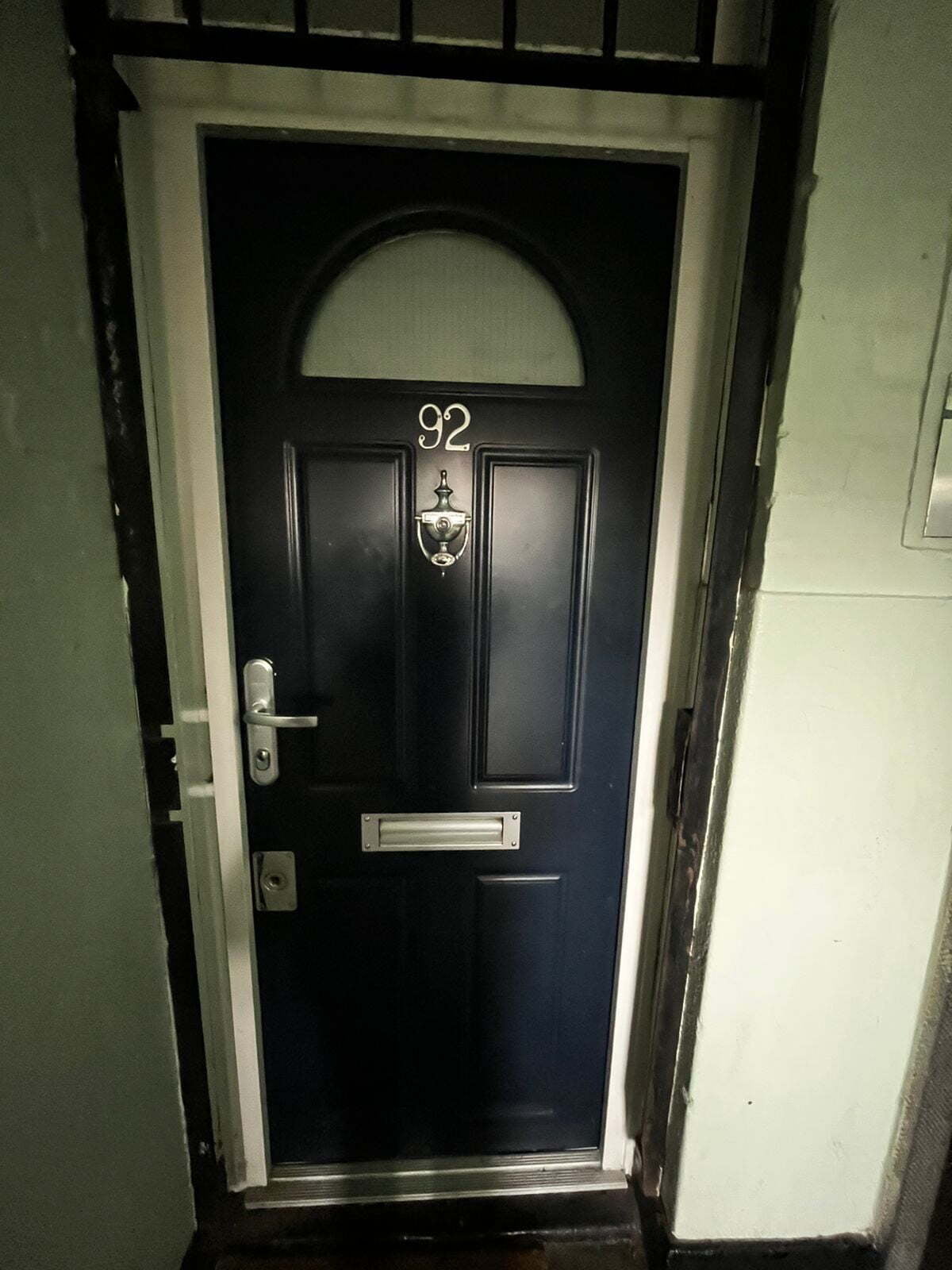
Flat 92 (ground floor), 

Royal oak court, London, N1 6EP

Oyster travelcard in London

​Whether you're making a one-off trip to London or you're a regular visitor, using an Oyster travel smartcard is the easiest way to travel around the city's public transport network.

Directions

The Old Street tube station is 6 minutes away from the apartment.

Parking instructions

Here are some resources that might help you:

https://parkright.passporteu.com/park/#parkrightSplash and parkopedia.com 

Check in instructions

Check-in time is anytime after 3:00 PM.

Occasionally we accommodate checking in at other times, if you contact us.
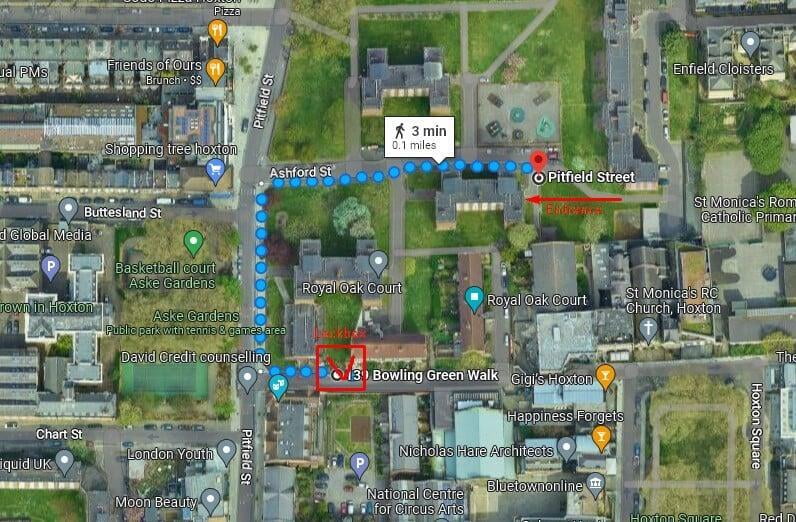
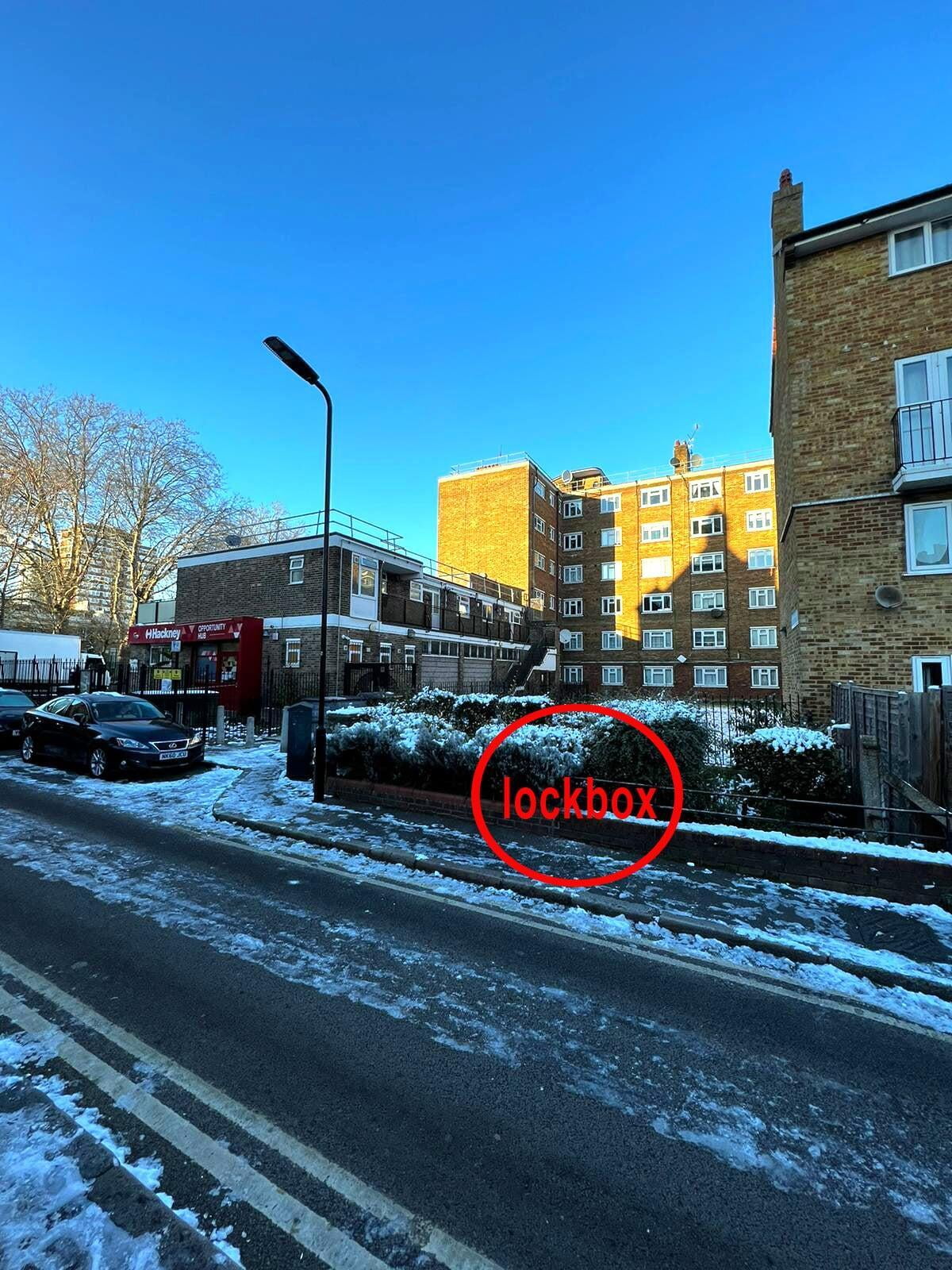
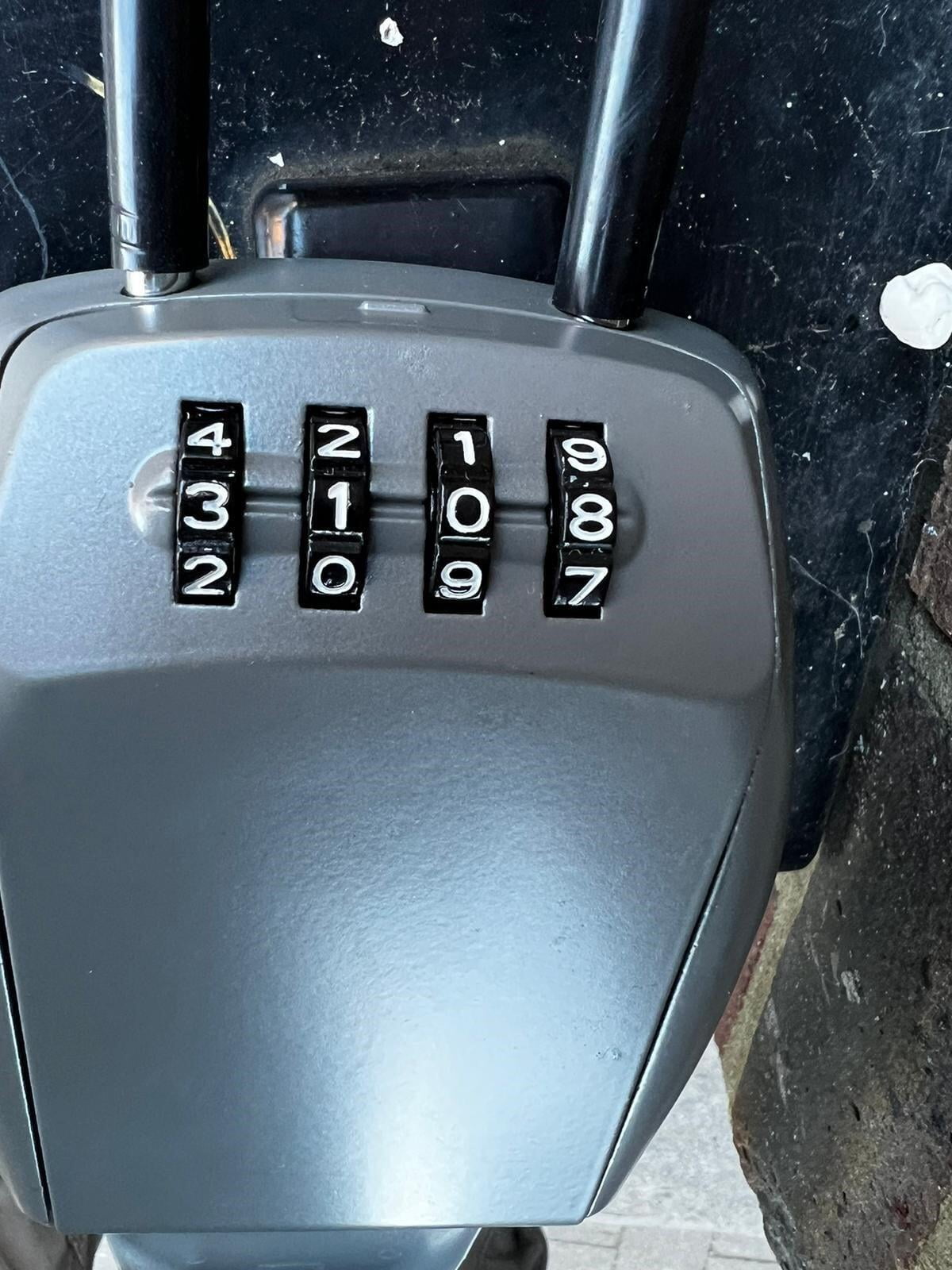
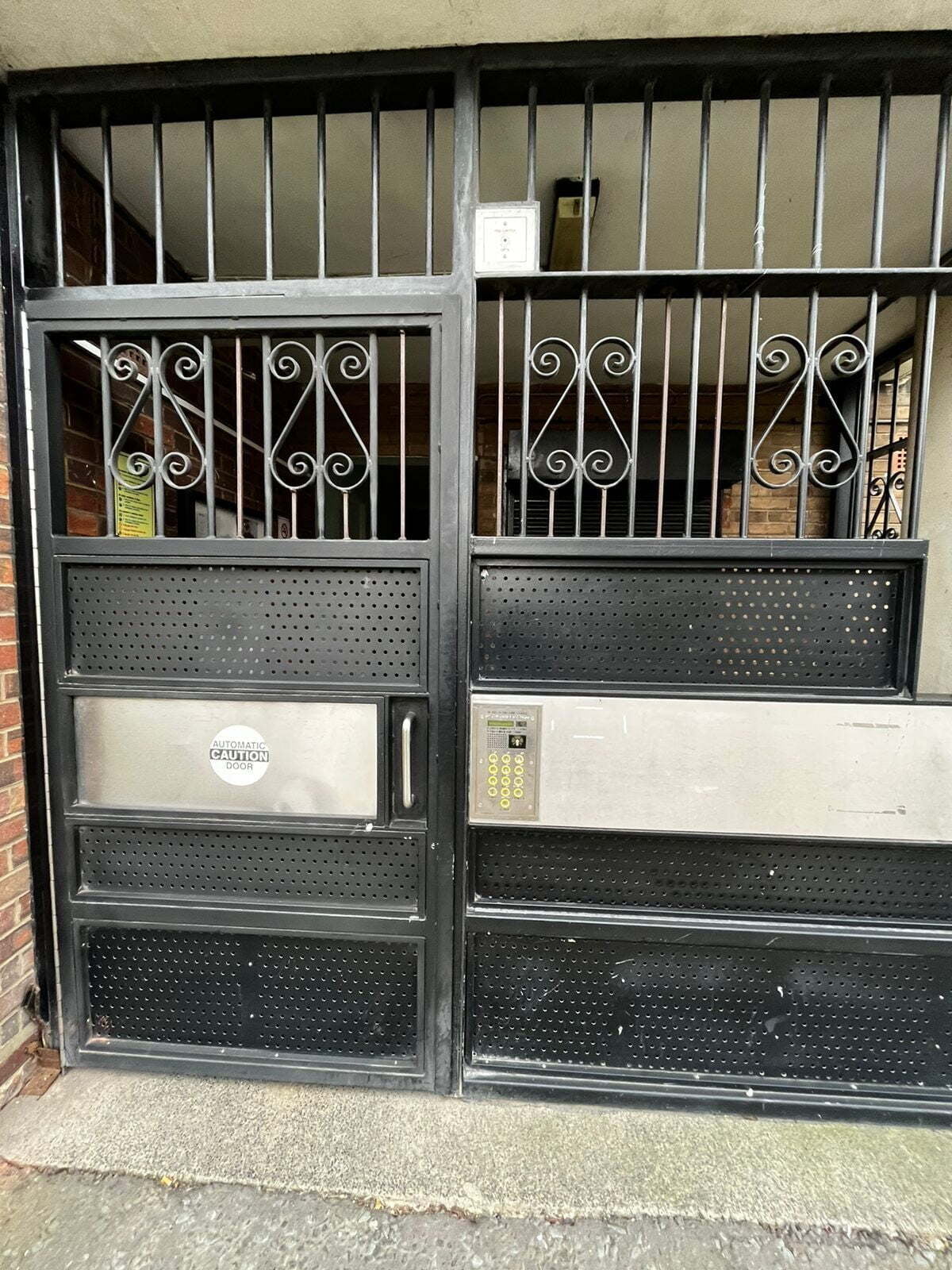
There is a lockbox containing your house key. Please see pictures below for directions. 

​Lockbox coordinates: 51.52810141586248, -0.08311471514797646

​Google Maps Pin

The lockbox code is 3108.

Don't forget to jumble the numbers, so the correct code is never displayed!

I respect my neighbours very much and kindly ask you not to disturb them in any way.


House manual

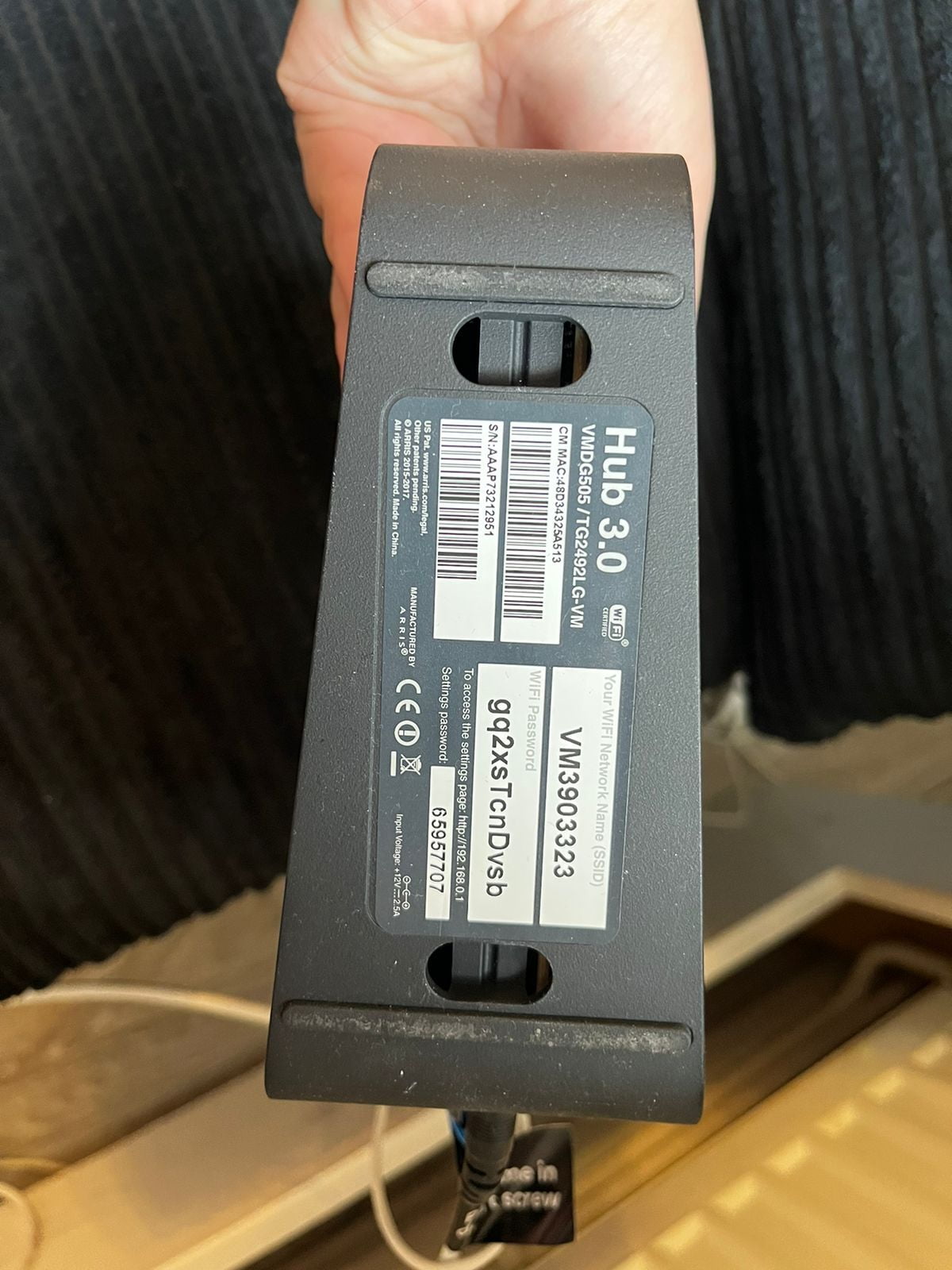
Wifi Details

 Login

VM3903323 


Password

gq2xsTcnDvsb


Troubleshooting: if you are experiencing any issues with WiFi, please try to reload the router. (Turn the router off for around 10 seconds and turn it on again)

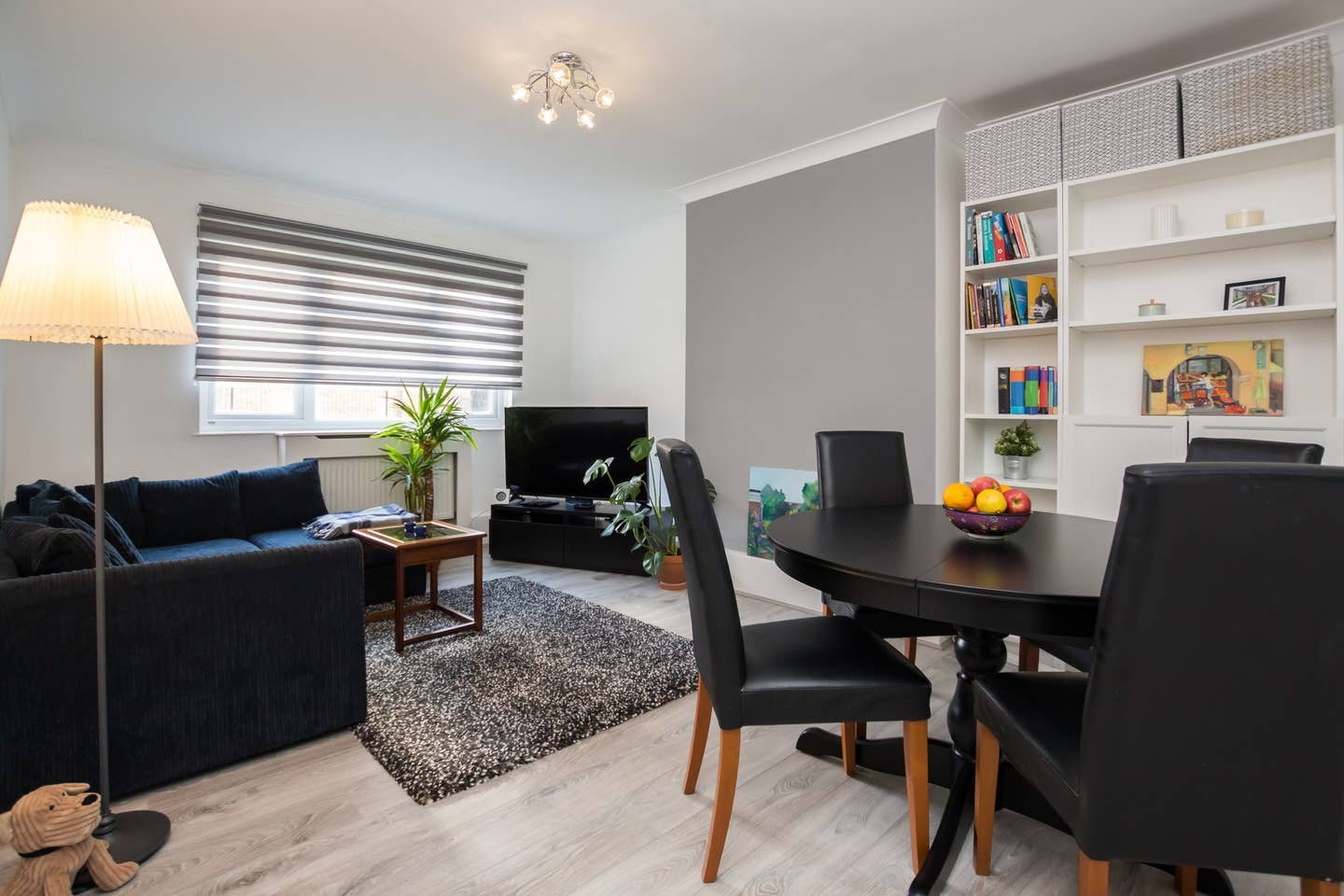
The hub is a black box next to/behind the sofa 


The internet password should be on a sticker in the kitchen and hallway.

House Rules


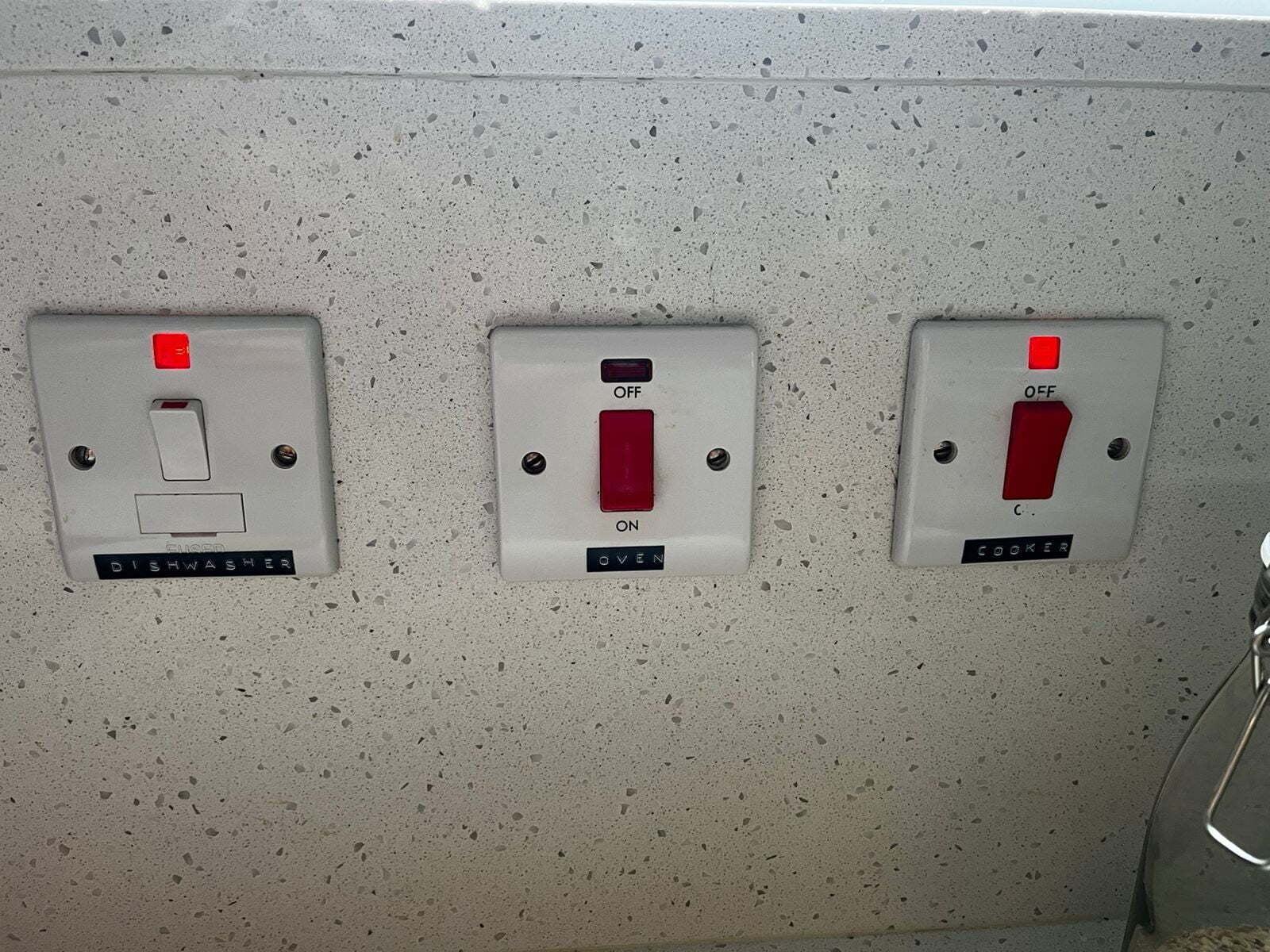
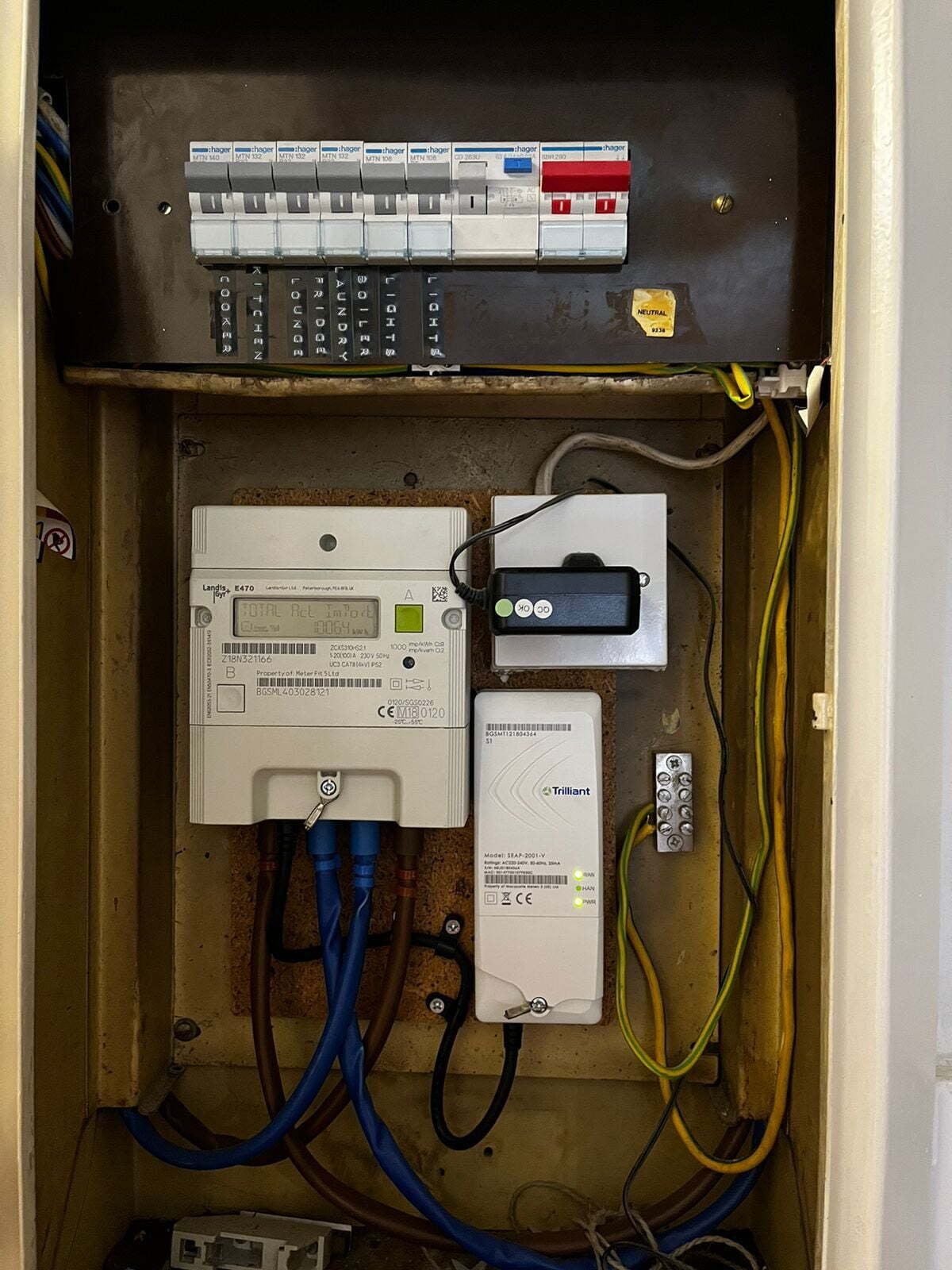
Fusebox and switches

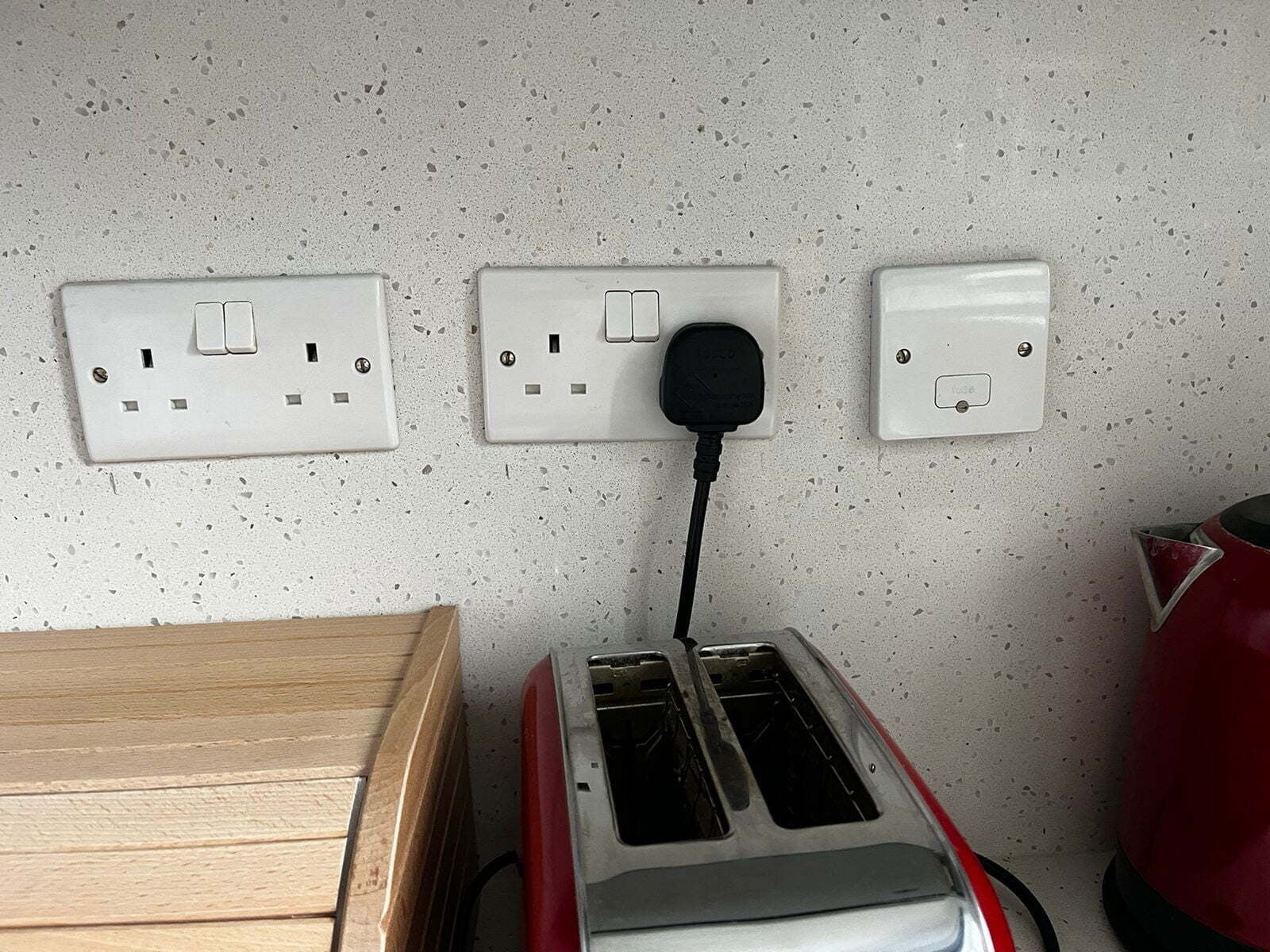
Switches are mostly located along the kitchen wall, and designed to turn large appliances ON and OFF, 

If you ever encounter power outage at the property please make sure all the fuses are ON, before proceeding to further maintenance

Underfloor heating in the kitchen/bathroom


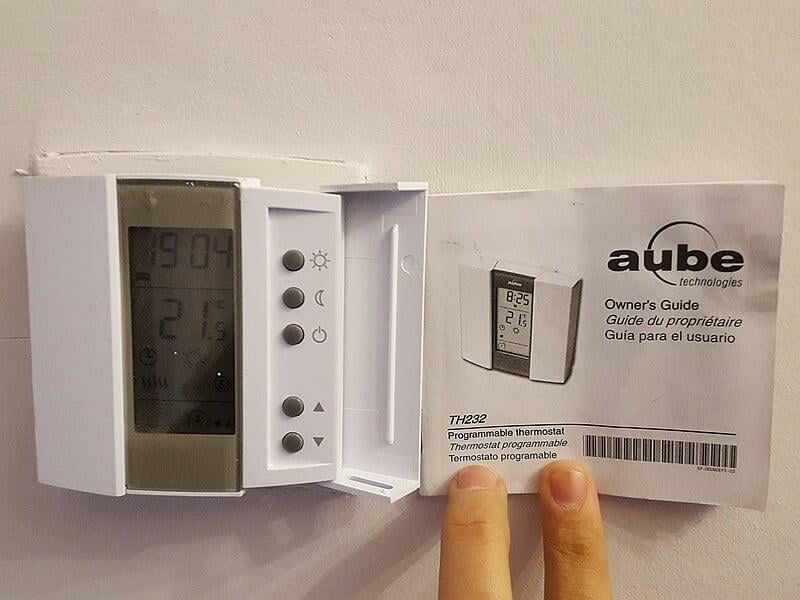
These are electric. They are set  at 28*C between 7.30 to 10.00 and 18.00 to 22.00 for the kitchen and bathroom. It is 21*C the rest of the time. 


There is a copy of the manual called ‘aube’ which has instructions in English French and Spanish. 

There is also a link here: https://www.underfloorheating-uk.co.uk/Cache/Downloads/th232-instructions-1.pdf 

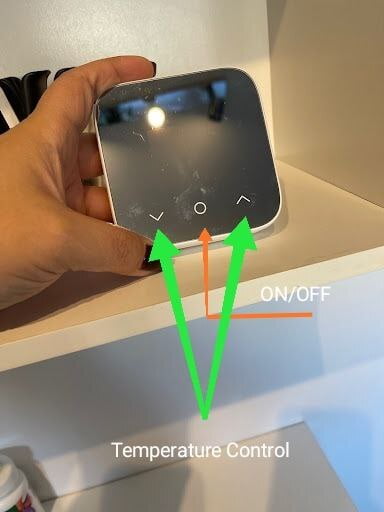
P15 to P18 is useful for English speakers, but the basic solution is that if you think the floor is cold, you can press the sun symbol on the right hand side of the thermostat control (the thing next to the light) outside the bathroom of just inside the kitchen to turn up the floor temperature. This will make it 28*C till the next period. If you are too hot in the summer, you can press the moon to turn off the heating. 

Please note that each thermostat for the floor in the bathroom and kitchen has an on/off switch. It is a bit confusing, as if you can see the power symbol on the screen, it means that the power is off.
The central heating

The central heating uses a Hive that comes with a phone app.  


The house will automatically have the heating on a standard schedule. You can either use the hive app on your phone or the thermostat in the apartment to have the heating the schedule, or to put the heating on a manual amount. Eg. If you put it at 19*C manual, it will just always have heating on until it reaches 19*C, 24 hours a day. The hive app also has a boost function, which can put the heating on for the next period of time that you select. It is useful if you want a bit of heating before you go to bed, but don’t want to have heating on all night when you are sleeping.  


You can download the hive app on your phone and login with the following:  

https://play.google.com/store/apps/details?id=uk.co.centrica.hive&hl=en_GB&gl=US&pli=1 

https://apps.apple.com/gb/app/hive/id712829172 


Username : Flat92@mail.com 

Password : Guestheating1  


The app is very user friendly. When you log on, you select the Flat 92 thermostat, and then can choose manual, schedule or off. You can set the schedule yourself, and there is also a boost function. 


On the thermostat in the flat, press the middle button, you can then press the up, down and middle button to choose manual, schedule or off. Please note that the schedule can only be changed on the app, and on the physical thermostat, all you can do is get it to follow the schedule. 

The thermostat is linked to a  hive hub (a white box), which is attached to the wifi hub (the black box), between the sofa and the window.

If something doesn't work, please check that the hive hub is on, and if not, turn it on
Amenities

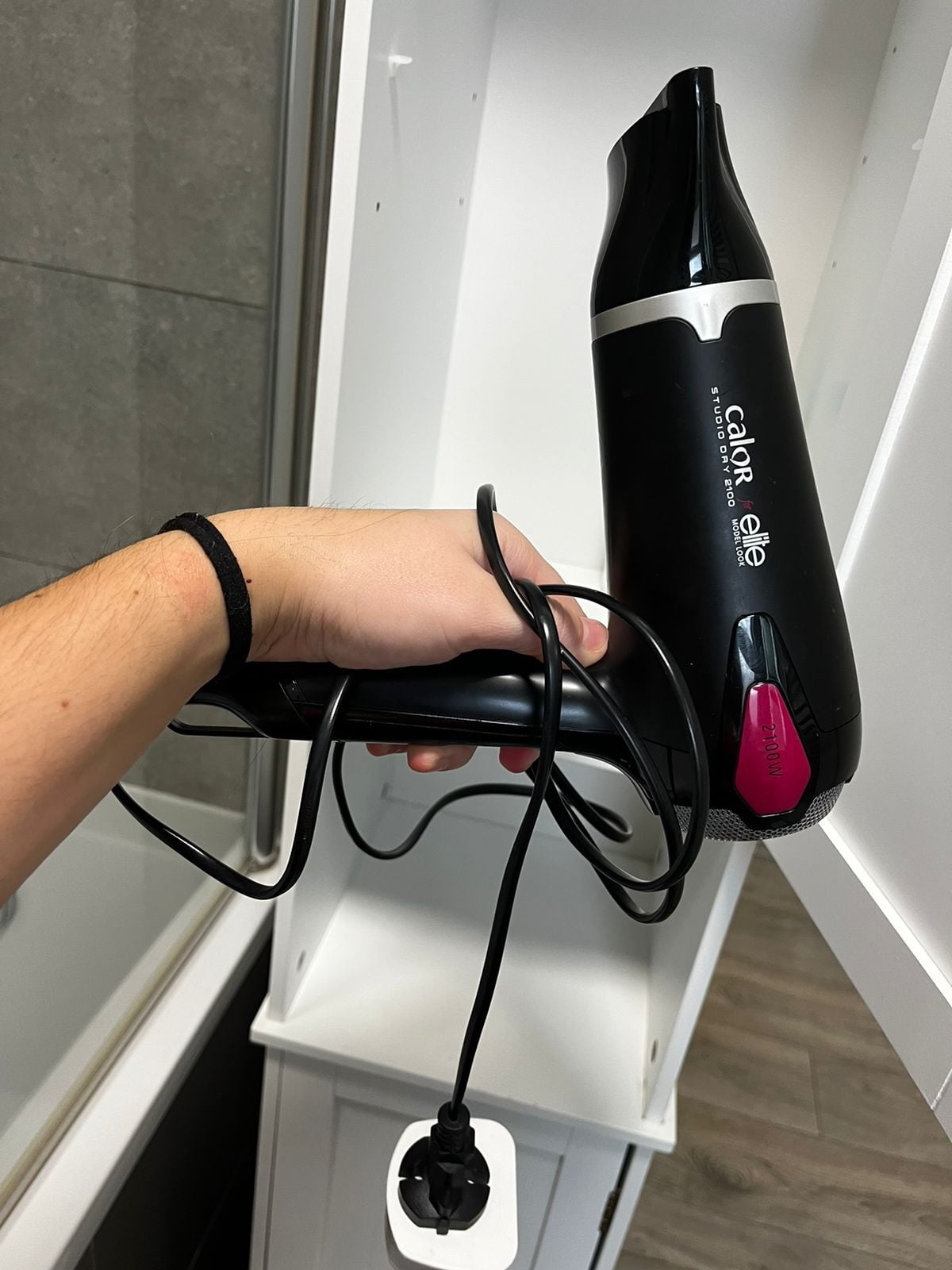
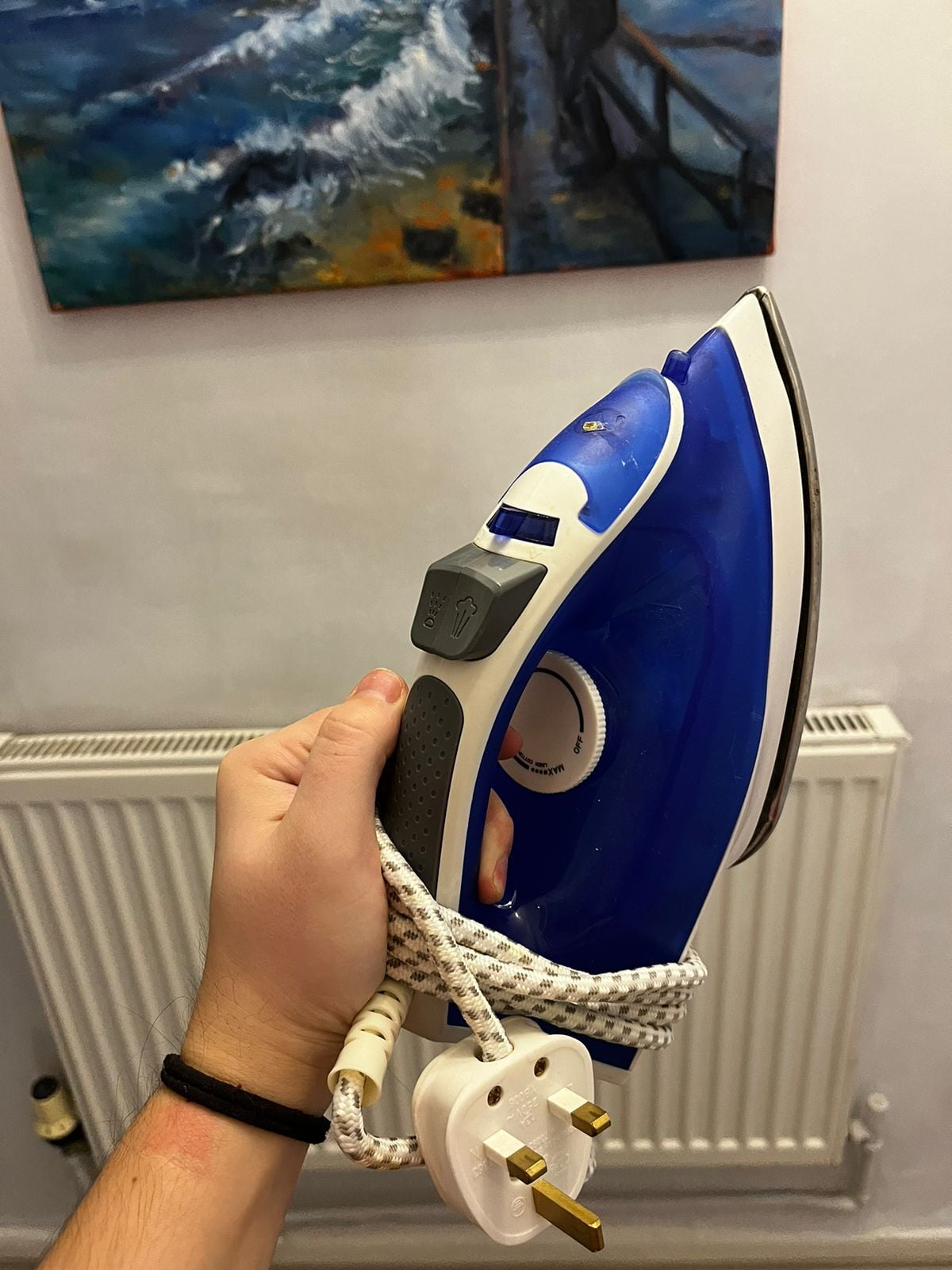
Iron and hair dryer for your convenience

London Travel guide

Departure

Departure

 Check-out time is anytime before 11:00 AM


→ Leave the key in the lockbox and jumble the numbers on it afterwards. There will be a charge for a new lockbox if the numbers will not be jumbled.

→ We take no responsibility for forgotten or  items lost and cannot guarantee that items will be found.


Before leaving

📍Make sure you turn off the stove, heating and lights.

📍Close all doors and windows before leaving anytime.